Start Here
Not sure which skill fits your problem? Start Here orients you to the toolkit and routes you to the right tool from one question: "What's in front of you right now?" The only skill in the toolkit that talks about how to work with the assistant.
What This Skill Does
Route first. Do the work second.
Every other skill in the toolkit just does the work. No orientation, no coaching on whether it's the right tool. Start Here is the exception. Use it when you're new to the toolkit, when you have a Lean problem but don't know which tool fits, or when you want to know what the toolkit can do for a specific situation.
It asks one question, routes to one skill with a one-line reason, and hands off cleanly. It never does the receiving skill's work itself. It routes.
Decision Table
What's in front of you → which skill to use
| If you have… | Go to | Why |
|---|---|---|
| A problem to structure for a review or steering committee | a3-coach | A3 is the format leaders read; it structures diagnosis and countermeasures on one page |
| A recurring defect, near-miss, or "why does this keep happening" | root-cause | Investigates the system cause, not just the last instance |
| A problem that hasn't been framed yet, before any analysis tool runs | problem-statement | Scopes IS/IS-NOT and writes a SMART one-sentence statement, so you don't solve the wrong problem |
| Planning a kaizen event: scope, team, schedule | kaizen-charter | Coaches readiness first, then drafts a complete charter a sponsor can sign |
| About to go watch the process, or just got back | gemba-walk | Structures a walk or debrief of one you just completed |
| Documenting how a job is done today | standard-work | Produces the operator-facing sheet with cycle times and takt |
| Documenting a job so someone else can train on it | twi-jbs | Builds the trainer's Job Breakdown Sheet plus the 4-step training plan |
| Numbers from a walk or timed observations (cycle times, distances, WIP) | vsm-calc | Turns observation data into takt, lead time, PCE, and the bottleneck |
| A downtime or production export from an MES, PLC, or maintenance system | oee-from-csv | Calculates OEE and Six Big Losses from the raw CSV |
| An area that's cluttered, hard to find things in, or feels unsafe | 5s-audit | Scores Sort through Sustain 0-3 per zone and prioritizes the gaps |
| A changeover or setup that eats into run time | smed-setup | Splits internal from external work and calculates the capacity recovered |
| Measurement data over time and a question about whether it's stable | control-chart | Separates common cause from special cause and calculates Cp/Cpk |
| A new process, product, or piece of equipment, before it launches | fmea-builder | Scores Severity, Occurrence, and Detection and ranks the action list by RPN |
| A specific error that keeps happening and needs a fix, not a retrain | mistake-proofing | Classifies the fix by the five-level poka-yoke hierarchy, from elimination to procedure |
| A question about whether the line or team can hit a volume | capacity-planner | Models machine, labor, and WIP capacity, finds the bottleneck, and runs what-if scenarios |
| Problems that surface too late for anyone to respond to them | daily-management | Designs the tiered review cadence and the response-to-abnormality steps |
The Four Habits
How to work with the toolkit effectively
Start Here teaches these habits when you're new. They're folded into routing, not delivered as a lecture.
[NEEDS GEMBA]. No tag? Ask where it came from before using it.All Skills in the Toolkit
Sixteen working tools, and this one to route you
What you get
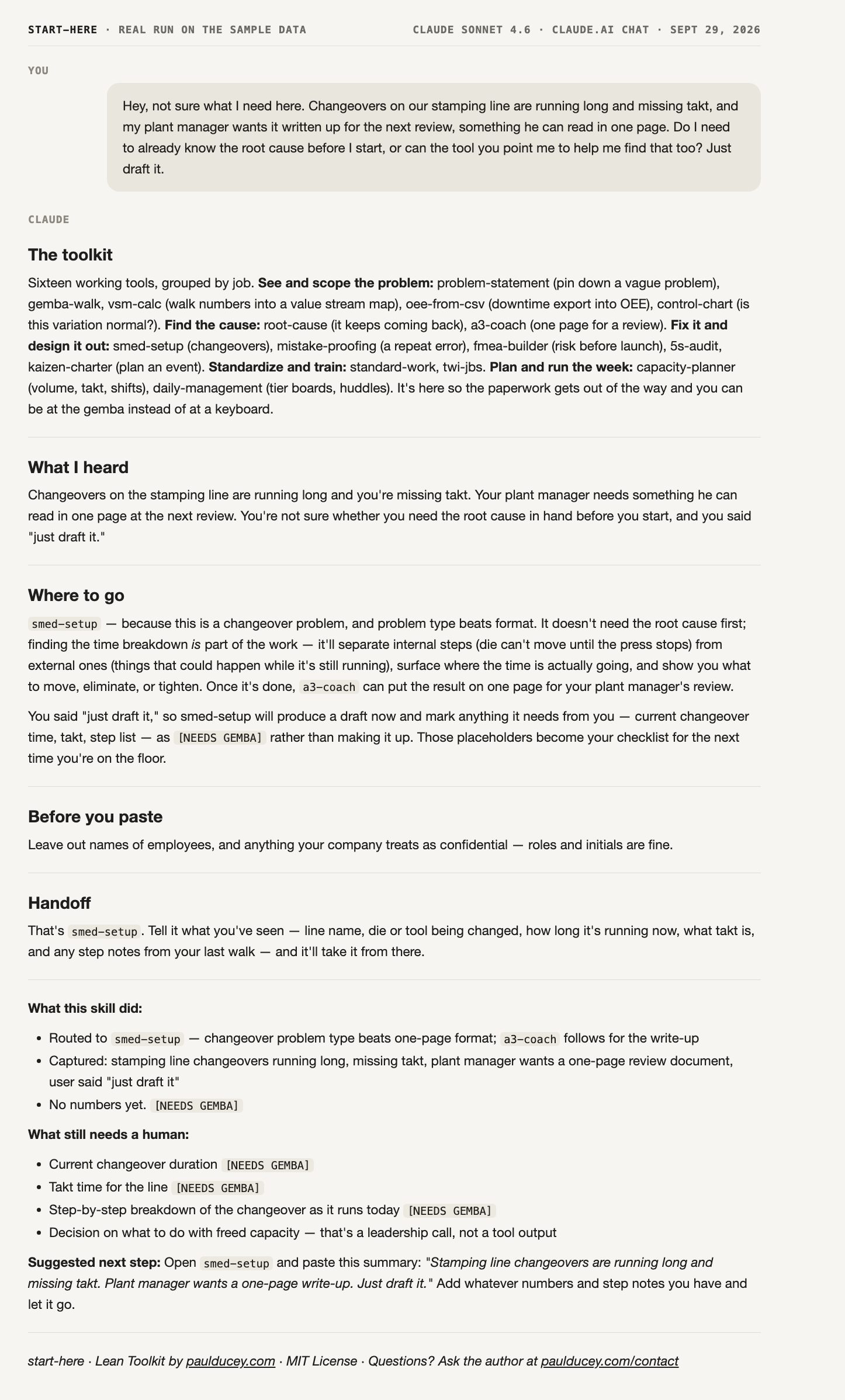
A real run on the sample data
Unedited output. The sample message at the top went to Claude Sonnet 4.6 (an earlier-generation model, so a newer one may word things differently) with this skill pasted in, the same way the steps below show, on September 29, 2026. Scroll inside the frame to read the whole reply.
Installation
The first skill to add to any project
resources/examples folder.Paste this skill's text into a Claude Project's instructions, then add the .md file for any other skill you plan to use to the same Project. Claude will use whichever one fits based on your request, so you don't have to manage them separately.